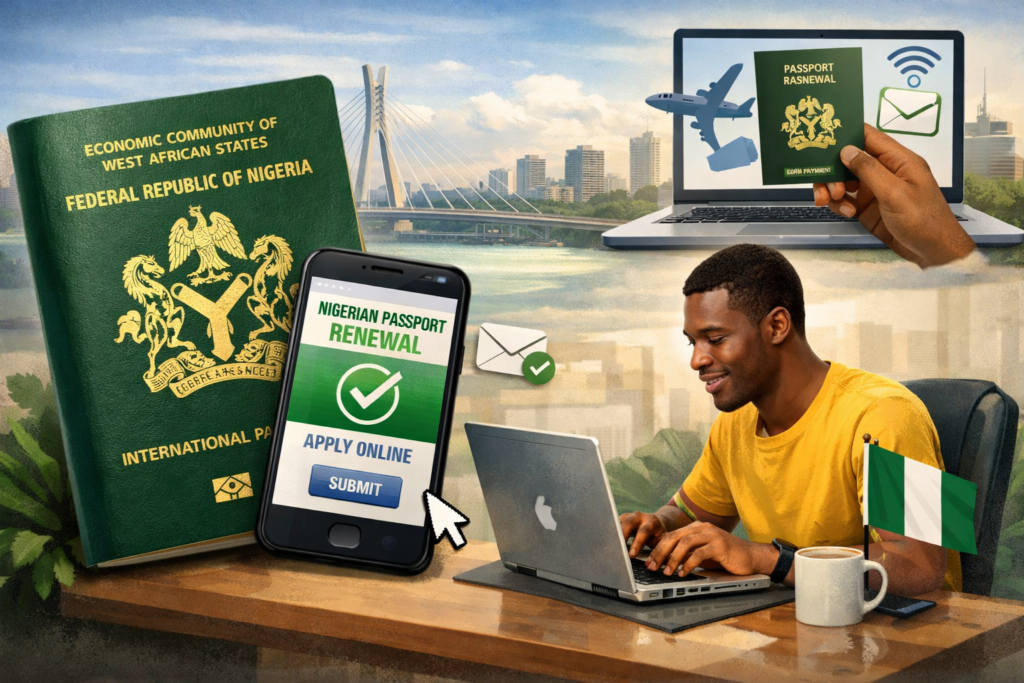
How to Renew Nigerian Passport Online in 2026 (No Agent Needed)
The ₦150,000 Lesson Nobody Should Have to Learn
Chukwuemeka had six weeks before his visa interview at the British High Commission in Lagos.
His passport expired eight months earlier. He knew he needed to renew it. He just kept postponing — work, kids, the general chaos of Lagos life. Then the appointment letter arrived and panic set in.
A colleague at the office smiled. “Don’t worry. I know a guy.”
The guy charged ₦150,000. Cash. Promised delivery in two weeks. Collected the money, the old passport, and Chukwuemeka’s birth certificate. Then disappeared for three weeks, calls diverting, WhatsApp ticks stubbornly grey.
The passport eventually came. One day before the visa interview. Two weeks late. With a data page error that took another week to fix.
The entire process from start to finish took 47 days and cost ₦150,000 for a 32-page booklet (5-year validity), plus a rescheduled visa appointment fee.
The official online process, when done correctly, takes the same amount of time. Costs a fraction. Requires zero middlemen.
This is that guide.
Why People Still Pay “Run-Men” in 2026
Let’s be honest about this.
The Nigerian Immigration Service (NIS) has had an online passport application portal for years. It works. It is not perfect; no government portal in any country is, but it is functional, and millions of Nigerians have used it successfully without paying a single kobo to an agent.
The run-man economy survives for three reasons.
One: People don’t know the exact process and are afraid of making expensive mistakes with government forms.
Two: The portal has quirks such as browser compatibility issues, payment gateway hiccups, and document upload requirements that aren’t clearly explained, which frustrate first-timers into giving up.
Three: Agents are everywhere at passport offices, and they are very good at creating the impression that without them, nothing will move.
None of these is a reason you need to pay anyone.
What you need is the correct information, in the right sequence. That is what this post gives you.
Before You Start: Know Which Process Applies to You
Not all passport renewals follow the same path. Get this wrong and you waste time.
Standard Renewal (most people): Your passport has expired or will expire within six months. You are in Nigeria. You want a new 32-page or 64-page booklet. This is the online process we are covering in detail.
Renewal Abroad: You are outside Nigeria. The process runs through Nigerian Embassies and High Commissions, although some now offer online pre-application, and physical appearance is still required at the mission. This guide does not cover that route fully so contact your nearest Nigerian mission for their specific procedure.
Emergency/Express Passport: For genuine emergencies, a death abroad, a medical trip, or imminent travel within 72 hours, the NIS has an emergency procedure. It costs more and requires physical appearance with supporting documents. An agent cannot speed this up; the NIS controls the timeline entirely.
Lost or Stolen Passport: A different process involving a police report, affidavit, and additional documentation. Do not use the standard renewal portal for a lost passport. Confirm which category applies to you before you proceed.
What You Need Before You Open the Portal
Gather everything first. Half the people who abandon the portal midway do so because they didn’t have a document ready and lost their session.
Documents required:
- Current or most recent expired Nigerian passport (you will need the passport number and biodata details)
- National Identification Number (NIN) — this is now mandatory. No NIN, no passport. Full stop.
- Valid means of identification (National ID card, driver’s licence, or voter’s card)
- Birth certificate or age declaration (for first-time applicants; renewals typically don’t require this unless specifically requested)
- Passport photographs — white background, recent, taken within the last three months. The portal allows photo upload but you will also bring physical copies to the appointment.
Technical requirements:
- A working email address you actually check — all portal communications go here
- A working Nigerian phone number for OTP verification
- A debit card or bank account for online payment (Mastercard, Visa, or Verve — all work on the NIS portal)
- A laptop or desktop computer. Do the application on a PC, not a phone. The portal is not mobile-optimised and phone sessions time out aggressively.
- Use Google Chrome or Mozilla Firefox. Internet Explorer and Safari create compatibility problems. Stick to Chrome.
Step-by-Step: The Exact Online Renewal Process
Step-by-Step: The Exact Online Renewal Process
Step 1: Go to the Official NIS Portal — And Only the Official Portal
The official Nigerian Immigration Service passport portal is:
https://passport.immigration.gov.ng
Bookmark it. Screenshot it. That URL is the only one you should use.
There are clone sites, some convincing, some obviously fraudulent, that harvest your personal data and payment details. They rank on Google and look official, but they are not.
If a site asks for your NIN, date of birth, passport number, and payment information but the URL does not match the official NIS domain, close it immediately.
Step 2: Create Your Account
Click “Apply Now” and select “New Applicant” if you have never used the portal before, or “Existing Applicant” if you have a previous account.
For a new account, you will provide:
- Full name (exactly as it appears on your existing passport and NIN)
- Email address
- Phone number
- A password
An OTP will be sent to your phone number for verification. Enter it within the time window, it expires quickly. If it doesn’t arrive within 60 seconds, use the resend option once. If it still doesn’t arrive, check that the phone number you entered is correct and active.
Once verified, your account is created. Log in immediately and complete your profile before doing anything else.
Step 3: Start Your Application — Select the Right Options
After logging in, click “Apply for Passport” and select:
- Application Type: Renewal
- Passport Type: Standard (for the regular green booklet)
- Booklet Type: 32 pages or 64 pages
Which booklet should you choose?
If you travel frequently, more than three or four times a year, or to multiple countries, go for 64 pages. The fee difference is modest and running out of visa pages is an avoidable frustration. If you travel rarely, 32 pages is sufficient.
Step 4: Fill the Application Form — Carefully and Exactly
This is where most errors happen.
The form asks for your biodata: name, date of birth, place of birth, state of origin, local government area, gender, and contact details. Every single entry must match your NIN record exactly.
This is not a suggestion. It is a requirement.
The NIS system cross-checks your application data against the NIMC (National Identity Management Commission) database in real time. A name discrepancy, even a missing middle name or a different spelling, will flag your application and may result in rejection or delays at the passport office.
If your NIN record has an error, fix it at NIMC before you apply for the passport. Trying to work around it in the passport application will not end well.
Additional form sections include:
- Next of kin details — name, address, relationship, phone number
- Guarantor information — a Nigerian citizen with a valid passport who can vouch for your identity. For renewals, this requirement is less strictly enforced than for first-time applications, but have the details ready.
- Previous passport details — enter your current or most recently expired passport number, issue date, and place of issuance exactly as printed in the passport.
Review every field twice before proceeding. You cannot easily edit a submitted application.
Step 5: Upload Your Photograph
The portal requires a digital passport photograph upload meeting the following specifications:
- White background — not cream, not grey, not light blue. White.
- Full face, front-facing, no glasses, no head covering (except for religious reasons)
- Neutral expression, mouth closed
- File format: JPEG or JPG
- File size: between 10KB and 50KB
- Dimensions: approximately 200 x 200 pixels
Practical tip: Have a photographer take your passport photo and ask them to give you a white-background digital copy on a USB drive or via WhatsApp. Many passport photographers in Nigeria now provide digital copies as standard. Confirm the file size before you leave their shop. Photos larger than 50KB will be rejected by the portal, and you will need to compress and re-upload them.
Free online tools like ilovephoto.com or Compress JPEG can reduce file size without significantly affecting quality.
Step 6: Select Your Passport Office and Appointment Date
After submitting your form and photo, you will select:
- The NIS passport office where you will appear for biometric capture
- Your preferred appointment date and time slot
Choose your passport office wisely. Major offices, Ikoyi (Lagos), Abuja headquarters, Port Harcourt have higher application volumes, and appointment slots fill up quickly. If you are in Lagos and flexibility allows, consider selecting a less congested office in Ikeja or even Ikorodu, where appointment availability is often better.
Select the earliest available slot that works for your schedule. Do not book an appointment you cannot keep; rescheduling is possible but adds unnecessary delay.
Screenshot your appointment confirmation immediately. The system will also send it to your email, but government portal emails sometimes land in spam. Check your spam folder.
Step 7: Pay the Official Fee
After selecting your appointment, you will be directed to the payment page.
Official NIS passport fees (as of 2026):
- 32-page standard passport: ₦100,000
- 64-page standard passport: ₦200,000
These are the official government fees. You pay them on the portal. You pay them nowhere else.
Payment methods accepted on the NIS portal:
- Debit card (Mastercard, Visa, Verve)
- Internet banking (via Remita — the government’s payment gateway)
- Bank branch payment (Remita Reference Number generated on portal, paid at any commercial bank)
If your card payment fails on the first attempt, which happens because Remita can be temperamental — wait five minutes and try again. Do not attempt the payment multiple times in quick succession; multiple deductions can occur and reversals take time.
If you prefer to avoid card issues entirely, use the Remita Reference Number route: generate the reference on the portal and walk into any GTBank, Access Bank, Zenith Bank, or First Bank branch to pay cash over the counter. Bring the reference number printed or on your phone. The payment reflects on the portal within 24 hours.
After successful payment, download and print your payment receipt and your application summary. Both go with you to your appointment.
Step 8: Attend Your Appointment
On your appointment day, arrive at the passport office at least 30 minutes early.
Bring the following in a neat folder, not stuffed in a bag:
- Printed appointment confirmation slip
- Printed payment receipt
- Completed application summary printout
- Current or expired passport (original)
- NIN slip or National ID card (original)
- Two recent passport photographs (physical copies, white background)
- Any other supporting documents specified during your application
At the passport office, you will go through:
- Document verification — an NIS officer checks that your documents match your online application
- Biometric capture — fingerprints (all ten fingers) and a live photograph
- Data confirmation — you review your data on screen and confirm it is correct
This entire process at the office typically takes 30 – 90 minutes if you arrive at your scheduled time with complete documents. If your documents are incomplete, you will be turned away and required to reschedule. There is no “managing” your way through with incomplete paperwork.
Important: Do not bring cash to “assist” the process. Officers who solicit bribes can be reported to the NIS Public Complaints Unit. The process is designed to work without facilitation payments. If an officer suggests otherwise, note their name or badge number.
Step 9: Track Your Application
After your biometric appointment, your passport goes into production.
Track the status of your application on the NIS portal:
https://passport.immigration.gov.ng → Login → Application Status
Status updates move through: Submitted → Biometrics Captured → Processing → Ready for Collection / Dispatch.
Realistic production timelines in 2026:
- Standard processing: 4 – 6 weeks from biometric appointment
- Express processing: 2 – 3 weeks (where available — check with your specific passport office)
These timelines assume no data issues, no system backlog at the NIS booklet production centre, and no public holidays clustering in that window. Practically, allow eight weeks from appointment to collection if you want a stress-free buffer.
Step 10: Collection or Delivery
You have two options for receiving your completed passport:
Option 1: Collect at the passport office: You receive an SMS and/or email notification when your passport is ready. Return to the office with your collection slip and a valid ID. Collection is usually straightforward.
Option 2: Home delivery via NIPOST: The NIS offers a home delivery option through NIPOST (Nigerian Postal Service) at an additional fee selected during the application. Delivery covers most Nigerian states, but timelines vary significantly by location. Lagos and Abuja deliveries are generally faster than remote states.
If you opt for delivery, ensure your address is precise — street name, house number, landmark. NIPOST delivery agents will not search for you. A wrong address means a returned passport and a collection trip anyway.
The Most Common Portal Problems — And How to Fix Them
Problem: “NIN not found” error during application
Fix: Verify that your NIN is active and your NIMC record is updated. Visit any NIMC enrolment centre with your NIN slip and valid ID to confirm your record is complete.
Problem: Payment deducted but portal shows “payment pending”
Fix: Wait 24 hours for Remita to reconcile. If it doesn’t clear, take your bank debit alert and payment reference to the NIS passport office on your appointment day — the accounts desk can manually verify and clear the payment.
Problem: Photo upload rejected
Fix: The file size or background colour is almost certainly the issue. Use an online compression tool to bring the file under 50KB and ensure the background is pure white (RGB 255, 255, 255).
Problem: Appointment slots show as fully booked
Fix: Check back early in the morning; slots are released on a rolling basis, and cancellations free up slots daily. Alternatively, try a different passport office within a reasonable distance.
Problem: Portal times out mid-application
Fix: Use Chrome, clear your cache before starting, and type all your information in a Word document so you can paste quickly. Avoid applying on mobile data. A stable WiFi or broadband connection reduces timeout risk significantly.
What the Run-Man Cannot Do That You Think He Can
Let’s put this to rest.
A passport agent, the legitimate kind, not the fraudulent ones, is essentially just a person who knows the process and completes it on your behalf. They have no special access to the NIS system and don’t have a back channel that accelerates production; neither can they jump the biometric queue for you. The passport production timeline is the same whether you applied yourself or paid someone to do it.
What they do is fill in the online form, book the appointment, and escort you to the office. That is it. You can do all of that yourself in about 45 minutes with this guide. The only thing an agent “speeds up” is the part where you have to think. And thinking, in this case, is free.
One Final Word Before You Close This Tab
Start the process today.
Not when your passport is about to expire. Not when you have a trip booked. Today! Right now, while the information is fresh and the motivation is present.
The entire online process takes less than an hour to complete. The appointment and production time runs on the NIS clock, not yours, and that clock does not start until you apply.
Every week you wait is a week added to the end of your timeline. And the agent is counting on that delay. He is banking on your procrastination turning into his commission.
Don’t give it to him.
Have questions about a specific step or a portal error you’ve encountered? Drop it in the comments. If I’ve seen it — and I’ve seen most of them — I’ll tell you exactly how to fix it.
Leave a Reply